 how-to
Optimize Your Athletic Recruiting Website for Mobile
Table of Contents
- Why Mobile Optimization Matters for Your Athletic Recruiting Website
- Design Your Recruiting Website for Smaller Screens
- Format College Recruiting Highlight Video Tips for Mobile Viewing
- Build an Athlete Recruiting Profile Template That Works on Mobile
- Make It Easy for Coaches to Contact You and Email You
- Test Your Mobile Recruiting Website Across Different Devices
- Speed Up Your Recruiting Website on Mobile Connections
- Update Your Athlete Recruiting Profile Examples Regularly
- Frequently Asked Questions
Last Updated: October 19, 2026
Why Mobile Optimization Matters for Your Athletic Recruiting Website
Your recruiting website is often the first impression college coaches get of you, and most of them are viewing it on their phones while they're on the sideline, in the office between practices, or scrolling through prospects during lunch. If your site doesn't work smoothly on mobile, coaches won't stick around long enough to see your highlight videos, academic achievements, or contact info, and they'll just move on to the next prospect.
Coaches are busy people managing rosters, recruiting budgets, and game schedules all at once, and they're not going to hunt through a clunky desktop site or pinch-and-zoom their way through your content. A mobile-optimized athletic recruiting website isn't a nice-to-have anymore, it's the baseline expectation, and when your site loads fast, displays clearly, and makes it easy for coaches to find what they need, you remove friction and increase the chances they'll actually reach out.
Optimizing your site for mobile is like making sure your highlight reel is in 4K instead of a grainy phone recording. Let's walk through exactly how to make sure your athletic recruiting website mobile works as hard as you do on the field.
Design Your Recruiting Website for Smaller Screens
Building a recruiting website that looks great on a five-inch phone screen requires thinking differently about layout and hierarchy than you would for a desktop experience. The key is simplicity and focus. On mobile, you don't have room for clutter, so every element needs to earn its place.
Start with a clean, single-column layout that lets content stack vertically without horizontal scrolling, so coaches can navigate your entire athletic recruiting website using just their thumb.
Your most important information should appear above the fold, meaning your name, sport and position, graduation year, and a clear call-to-action button (like "Contact Coach" or "View My Film") should all be visible the moment someone opens your site on their phone, because coaches are making snap decisions and you need to give them the key details immediately.
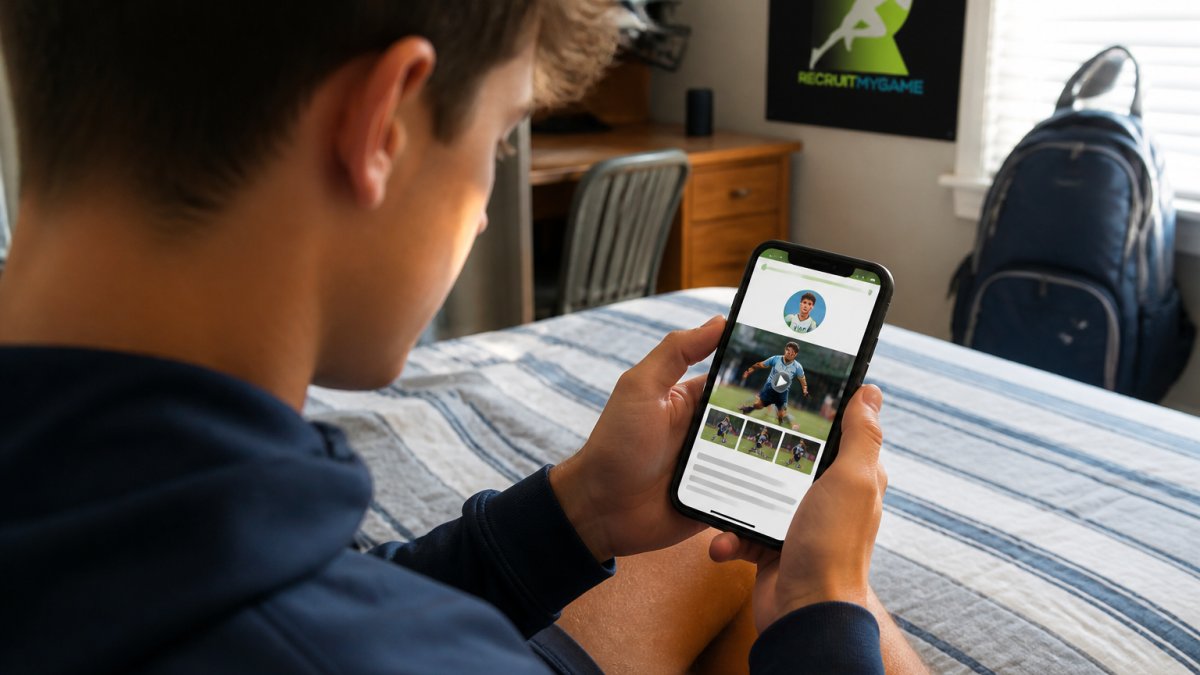
Use large, easy-to-read fonts and plenty of white space between sections, since a font size that works on desktop often becomes unreadably small on mobile, so test everything at actual phone size.
Format College Recruiting Highlight Video Tips for Mobile Viewing
Your highlight video is arguably the most important asset on your recruiting website, and mobile viewing changes how you should format it, so test your video player on actual phones in both portrait and landscape orientation before going live.
Keep your highlight reel between 60 and 90 seconds for mobile viewing. Longer videos lose attention on smaller screens, and coaches are often watching in short bursts between other tasks. Your college recruiting highlight video tips should include starting with your best plays, the ones that show your speed, skill, and football intelligence right away.
Host your video on a platform that works reliably on mobile, like YouTube or Vimeo, since these automatically optimize video quality based on connection speed so your highlight video plays smoothly whether a coach is on 5G or spotty Wi-Fi at a coffee shop. Include an eye-catching thumbnail that clearly shows you in action, because that's what coaches see before they hit play and it needs to grab their attention.
Add captions or on-screen graphics that identify your name, jersey number, position, and school, since mobile viewers often watch with sound off and captions ensure coaches understand what they're seeing. Include a brief text description above or below the video that explains what they're about to watch, like "Junior Year Highlights, Defensive End, State Championship Run," which gives context that helps coaches understand your level of competition and progression.
Build an Athlete Recruiting Profile Template That Works on Mobile
Your athlete recruiting profile template should be structured like a story that unfolds as coaches scroll down your phone screen, gradually revealing who you are, what you've accomplished, and why a coach should care.
Start with your hero section: name, photo, sport, position, graduation year, and height/weight. Make your photo a clear, professional headshot or action shot where you're recognizable and look confident. Avoid cluttered backgrounds or images where you're hard to spot.
Below that, your academic profile section should list your GPA, standardized test scores (SAT or ACT), and any academic honors, formatted clearly with labels and numbers so it's scannable on a small screen.
Your recruiting profile template should include a section about your club team, high school, and coaching staff with links to their websites or social media if relevant, since coaches want to know who's training you and what level of competition you're playing in.
Add a section about your athletic interests and goals. Why are you interested in playing college athletics? What are you looking for in a program? This personal touch helps coaches understand your motivation and whether your goals align with what they're building.
Make It Easy for Coaches to Contact You and Email You
A coach finding your athletic recruiting website mobile means nothing if they can't easily figure out how to reach you. Your contact options need to be crystal clear and accessible from every page of your site.
Include a dedicated contact section or page accessible from your main menu with your email address displayed prominently, your phone number, and ideally a contact form coaches can fill out directly on your site, so you get their message instantly and they don't have to hunt for your email or worry about typing it correctly.
Make sure your email address is one you check regularly and respond to quickly, because a response within a few hours signals that you're serious about recruiting, while a dead email address or a three-week delay tells coaches you're not as interested as your website claims.
Consider adding a WhatsApp or text link to your contact section if you're comfortable with it. Some coaches prefer quick text communication, and making that option available removes another barrier. Include a note about your preferred method of contact so coaches know whether to email, call, or text.
Test your contact form on mobile to make sure it actually works. Forms that are hard to fill out on a phone screen frustrate coaches and might prevent them from reaching you. Keep your contact form short, ask for their name, email, and message, not their life story.
Test Your Mobile Recruiting Website Across Different Devices
You can't optimize your athletic recruiting website for mobile without actually testing it on real phones. Different phones have different screen sizes, operating systems, and browsers, and what works on one might break on another.
Start by testing on the most common devices, an iPhone and an Android phone, ideally a couple of different sizes, in both portrait and landscape orientation.
Use your phone's browser developer tools (available in Chrome, Safari, and Firefox) to simulate different screen sizes and test how your site responds, which lets you see how it looks on everything from a small phone to a large tablet without owning every device, and most website builders have built-in mobile preview tools that make this easier.
Check how your site performs on slow internet connections. Many coaches might be viewing your site on 4G or even 3G in rural areas or during travel, so your site needs to work smoothly even when bandwidth is limited. Use tools that simulate slower connections to test this scenario.
Pay special attention to forms, videos, and images, these are the elements most likely to cause problems on mobile. Make sure videos don't auto-play with sound (which is annoying and drains data), images load at appropriate sizes without being too large, and forms submit without errors.
Speed Up Your Recruiting Website on Mobile Connections
A slow-loading website on mobile is a recruiting killer. Coaches have short attention spans, and if your site takes more than three seconds to load, many will bounce to another prospect before your content even appears.
Optimize your images by compressing them without losing quality. Large, uncompressed images are the biggest culprit behind slow mobile sites.
Minimize the number of plugins and scripts running on your site. Each plugin adds code that has to load before your page is ready, and on a slow mobile connection, this adds up quickly. Only keep plugins that serve a real purpose, analytics, contact forms, and video players. Remove anything decorative or unnecessary.
Enable caching on your site so repeat visitors don't have to reload everything from scratch each time, which most website platforms handle automatically, but if you're building a custom site, make sure caching is turned on.
Use a content delivery network (CDN) if your website builder offers one. A CDN stores copies of your site on servers around the country, so coaches access the version closest to them geographically, which reduces load time significantly.
Test your site's speed using tools like Google PageSpeed Insights or GTmetrix, which show you exactly what's slowing your site down and give specific recommendations for improvement. Aim for a mobile load time under three seconds, and anything faster is a bonus.
Update Your Athlete Recruiting Profile Examples Regularly
Your athletic recruiting website isn't a set-it-and-forget-it project. Coaches expect to see current information, and an outdated profile signals that you're not serious about recruiting. Update your site regularly to reflect your current achievements, test scores, and athletic progress.
Add new achievements as they happen. Did you make all-conference? Update your profile that week. Did you improve your GPA or test scores? Add those numbers immediately.
Keep your contact information up to date. If you change your email address or phone number, update your site right away. The worst scenario is a coach trying to reach you and discovering your contact info is outdated.
Add testimonials or quotes from coaches, teachers, or mentors if you get them. A short quote from your high school coach about your work ethic or character adds credibility and gives coaches a sense of who you are beyond your stats.
Monitor your site's performance using analytics if your platform offers them, seeing which pages coaches spend the most time on, where they're bouncing off, and what devices they're using, since this data tells you what's working and where to adjust.
Optimizing your athletic recruiting website for mobile is one of the most direct ways to control your own recruiting narrative.
The details matter here. A fast-loading site with clear contact options and recent highlight footage signals that you're organized, serious, and easy to work with.
Frequently Asked Questions
How do I make my athletic recruiting website mobile-friendly?
Start with a responsive design that automatically adjusts to different screen sizes using CSS media queries. Simplify your navigation menu into a collapsible hamburger icon, stack content vertically instead of using multiple columns, and ensure buttons and links are large enough to tap easily on a phone. Test everything on actual mobile devices to confirm text is readable and images load properly without requiring horizontal scrolling.
What should a college coach see first on my athlete recruiting profile?
Lead with your name, graduation year, sport, position, and a professional photo. Place your highlight video link prominently near the top so coaches can watch your best plays immediately. Include your GPA, test scores, and key athletic achievements in an easy-to-scan format. Make your contact information visible without requiring coaches to scroll or search for it. A clean, uncluttered layout on mobile ensures coaches get your key information in seconds.
How often should I update my athletic recruiting website?
Update your profile whenever you have new athletic achievements, improved test scores, or additional highlight footage from recent games or competitions. Refresh your content at least monthly during your competitive season to show coaches your current performance level and ongoing development. If you change your contact information or email address, update that immediately to ensure coaches can reach you. Regular updates signal to coaches that you're actively engaged in the recruiting process.
How can I make it easier for coaches to contact me from my recruiting website?
Include multiple contact options: a clickable email link, a contact form that coaches can fill out directly on your site, and your phone number formatted as a tap-to-call link on mobile. Add your social media profiles where coaches can reach you. Make sure your contact information is visible on every page, not buried at the bottom. Test all contact methods on mobile to confirm they work smoothly, and respond to coach inquiries quickly to show you're serious about the recruiting process.