 how-to
Tracking Player Turnover in College Athletic Programs
Last Updated: October 23, 2026
Quick Summary
Tracking player turnover in college athletic programs gives you clarity on where your position might actually be needed by analyzing roster composition, graduation timelines, and transfer activity. Rather than chasing programs that are completely full at your position, you can identify schools losing key players to graduation or the transfer portal and target those genuine opportunities. Athletes who understand roster depth and graduation cycles get recruited by coaches who actually need them.
- Count players at your position by class year to project when spots will open up based on senior departures and eligibility timelines.
- Review official depth charts to identify gaps where the starter is strong but backup depth is weak, revealing your actual opportunity.
- Ask coaches directly about their roster situation, recent transfers at your position, and their recruiting class to understand your real chances of playing time.
- Track roster changes quarterly using a simple spreadsheet with school name, position depth, graduating seniors, and transfer activity.
- Avoid assuming a large roster means no opportunity, since freshman-heavy rosters create openings later even if they look full now.
Table of Contents
- Why Tracking Player Turnover Matters for Your Recruiting Strategy
- Understanding College Transfer Portal Activity and What It Reveals
- Decoding College Team Graduation Timelines to Find Your Opportunity
- How to Evaluate College Roster Depth at Your Position
- Questions to Ask College Coaches About Playing Time and Roster Competition
- Building Your Own Player Turnover Tracking System
- Common Mistakes Athletes Make When Analyzing Roster Turnover
- Conclusion
- Frequently Asked Questions
Why Tracking Player Turnover Matters for Your Recruiting Strategy
Understanding player turnover in college athletic programs is one of the most overlooked advantages in the recruiting process, yet tracking player turnover in college athletic programs gives you clarity on where your position might actually be needed.
This is where tracking player turnover becomes your competitive edge. Rather than hoping a coach notices you, you can identify programs that genuinely need what you bring. Athletes who understand roster depth and graduation cycles get recruited by coaches who actually need them.
The real value isn't just knowing that a team lost players, it's understanding the timing, the positions affected, and what that means for your opportunity. A program losing three senior starters creates a very different situation than one losing a backup who barely played.
Understanding College Transfer Portal Activity and What It Reveals
The transfer portal has fundamentally changed how rosters shift in college athletics. Players now have the flexibility to move between programs in ways that weren't possible a decade ago, and this creates both uncertainty and opportunity for recruits like you.
College transfer portal activity tells you several important things about a program's direction. If a school is bringing in multiple transfers at your position, they're likely not recruiting high school players for that spot.
What makes this valuable is that transfer portal data is public information. You can access it through official NCAA channels and most college athletic websites. The challenge isn't finding the data, it's interpreting what it means for your specific situation. A team that loses one senior might still have four capable juniors at your position.
Decoding College Team Graduation Timelines to Find Your Opportunity
Graduation timelines are the most predictable form of roster turnover, which makes them incredibly valuable for your recruiting strategy. If a team has three senior starters at your position graduating next year, you can be confident that spots will open up. NCAA eligibility rules govern how long student-athletes can compete, and understanding these timelines helps you project where rosters will have gaps.
To evaluate a team's graduation timeline, you need to count how many players at your position are in each class year. A roster with five seniors and one junior at your spot looks very different from one with two seniors and four juniors. The team heavy with seniors will have significant turnover.
Many teams publish their rosters online with class year information clearly listed. Some programs make this easier than others, but the data is out there. You're looking for the composition of each position group across all four class years. Programs with top-heavy rosters (lots of seniors) will have urgent needs.
How to Track College Roster Graduation Cycles provides a deeper framework for monitoring these changes systematically over time, which becomes especially valuable if you're tracking multiple programs throughout your recruiting timeline.
How to Evaluate College Roster Depth at Your Position
Evaluating college roster depth requires you to count not just how many players exist at your position, but what level of competition they represent. A team with eight defensive backs might sound crowded until you realize five of them are freshmen still developing. A team with four linebackers where all four are experienced starters is actually more locked down. You need to understand both the quantity and the quality of competition.
Counting players by class year and position
Start by listing every player at your position by their class year. Create a simple table: freshman, sophomore, junior, senior. Count how many players fall into each category. This gives you the first clear picture of roster composition. A program with two seniors, three juniors, four sophomores, and six freshmen at your position has very different turnover than one with four seniors, two juniors, one sophomore, and three freshmen.
The class year breakdown tells you about future availability. Seniors leave after this year. Juniors might leave early for the draft or portal. Sophomores and freshmen represent the future depth. If a program is loaded with freshmen, they're building for the future but might not have immediate opportunities. If they're heavy on seniors and juniors, spots could open quickly.
Identifying depth chart gaps
Beyond just counting players, look at the depth chart itself. Many programs publish official depth charts showing the starting lineup and backup rotations.
Some positions naturally have more players than others. A college football team carries more defensive backs than linebackers. A basketball program might have five guards but only three true centers. You need to understand what a "full" roster looks like for your specific position and sport, then compare that to what each program actually has.
How to Find College Roster Needs walks through a systematic approach to identifying these gaps across multiple programs, which saves significant time when you're evaluating dozens of schools.
Understanding how rosters break down by class year reveals where opportunities actually exist.
| Class Year | What It Means | Impact on Your Opportunity |
|---|---|---|
| Seniors | Leave after current season | Spots open immediately next year |
| Juniors | Might leave early for draft or portal | Unpredictable but possible departures |
| Sophomores | Two more years of eligibility remaining | Limited near-term openings |
| Freshmen | Building blocks for future depth | Crowded now, but opens up later |
Questions to Ask College Coaches About Playing Time and Roster Competition
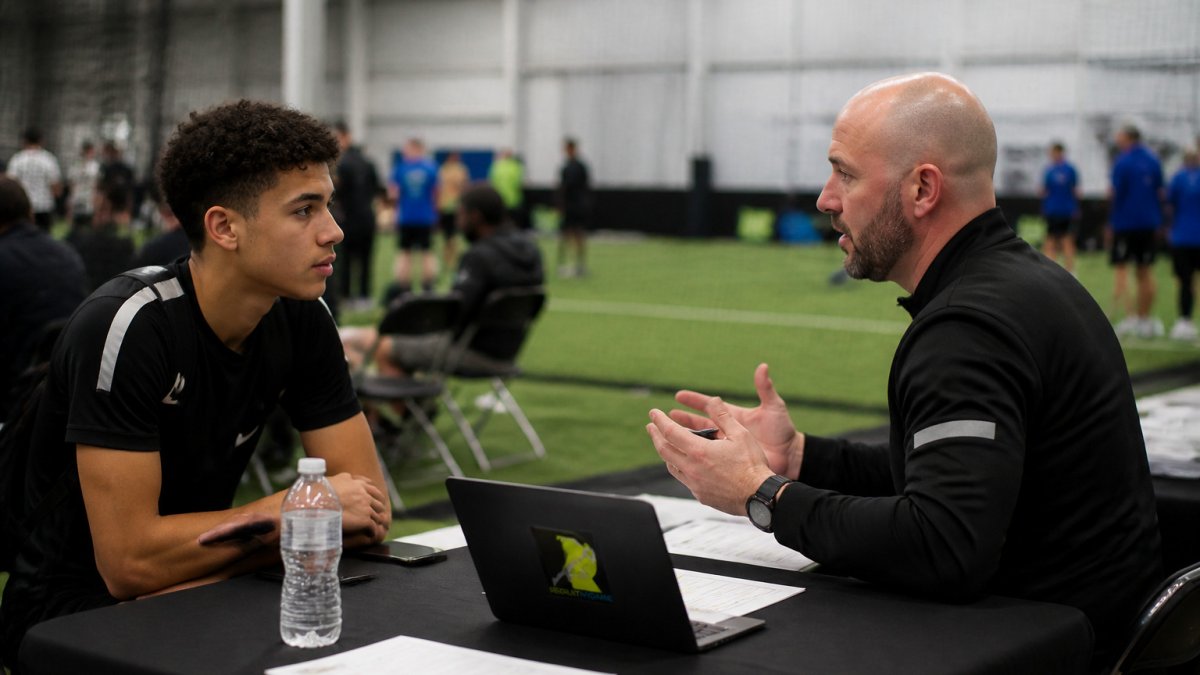
When you connect with coaches, asking intelligent questions about roster depth demonstrates that you've done your homework. Generic questions about the program get generic answers. Specific questions about their roster situation get honest conversations about your actual opportunity.
Ask coaches directly about their depth chart at your position and where they see opportunities opening up. A coach might tell you they're losing two starters to graduation but have three capable juniors returning. That's different from losing two starters with no proven replacements ready.
These conversations give you real insight into your actual chances of playing time. You might discover that a program looks thin on paper but is bringing in a highly touted transfer.
Building Your Own Player Turnover Tracking System
Creating a simple tracking system doesn't require expensive software or complex spreadsheets. You need a way to monitor key programs, track roster changes, and note important dates. A basic system helps you stay organized as you follow multiple schools through the recruiting cycle.
Data sources for roster information
College athletic websites are your primary source for roster data. Most programs post complete rosters with player names, class years, and positions. You can access these for free directly from each school's athletics website. The NCAA also maintains eligibility information, though some of it requires digging through their public database. Some recruiting platforms aggregate this data, but the raw information comes from official sources.
Social media and local beat reporters covering college sports provide real-time updates on transfers and departures. When a player enters the portal or announces they're transferring, you'll often see it on social media first. Following beat reporters who cover your target schools keeps you informed of roster changes as they happen. Coaching staffs sometimes announce roster updates through official channels as well.
Creating a simple tracking template
Build a spreadsheet with columns for school name, your position, number of starters, number of backups, seniors graduating, juniors who might leave, and notes about recent transfers. Tosch.ai college research intelligence automates much of this tracking work, pulling together roster data, depth charts, and graduation timelines in one platform so you're not manually updating spreadsheets every month.
Some athletes track this in a simple Google Sheet. Others use note-taking apps. The format matters less than consistency and accuracy. What matters is that when a coach asks you why you're interested in their program, you can reference specific roster information that shows you've actually studied their situation.
Tosch.ai college research intelligence offers AI-powered tools that automate much of this tracking work, pulling together roster data, depth charts, and graduation timelines in one platform so you're not manually updating spreadsheets every month.

Common Mistakes Athletes Make When Analyzing Roster Turnover
Many recruits approach roster analysis with incomplete information or flawed logic. Understanding these mistakes helps you avoid them and gain an advantage over other recruits who are making the same errors.
Another frequent error is focusing only on this year's roster without considering what happens next year. A team might look full right now, but if they're losing four seniors, the picture changes dramatically.
Recruits often misinterpret depth chart placement as definitive. A player listed as a backup might be buried there due to coaching preference or politics rather than actual ability.
Many athletes also fail to account for coaching changes. A new coaching staff might have very different preferences about recruiting, player development, and playing time.
Conclusion
Tracking player turnover in college athletic programs transforms recruiting from a guessing game into a data-driven strategy. When you understand roster composition, graduation timelines, and transfer activity, you can identify programs where your skills actually address a real need. You stop wasting time on schools that are full at your position and focus energy on programs where coaches are actively looking for what you bring.
RecruitMyGame makes this process significantly more efficient by analyzing roster data, tracking graduation cycles, and identifying coaching staff stability across programs. Rather than manually checking rosters at dozens of schools, you get AI-powered insights that highlight genuine opportunities where your position is needed. The platform's verified coach reviews and performance analytics help you understand not just roster composition, but the actual recruiting environment and coaching philosophy at each program.
Frequently Asked Questions
What does player turnover mean in college athletics?
Player turnover in college athletics refers to the total number of roster spots that open up from one season to the next due to graduation, transfers, eligibility exhaustion, or other departures. Understanding turnover helps you identify programs that genuinely need your position. A program with high turnover at your position is more likely to recruit actively and offer playing time opportunities compared to one with a full, stable roster.
How can I use college transfer portal activity to understand a team's recruiting needs?
Transfer portal activity shows which positions teams are actively trying to fill. If a program loses multiple players at your position to the transfer portal, they'll likely recruit hard to replace them. By tracking which positions lose players and when, you can identify programs with genuine needs rather than wasting time contacting teams that are already full at your position.
Where can I find accurate college roster and graduation timeline information?
Official college athletic department websites publish rosters with player class years, which lets you calculate graduation timelines. The NCAA transfer portal website shows departures in real time. Many programs also publish recruiting guides with roster composition information. Combining these sources gives you a complete picture of when spots will open up and which positions are most affected by upcoming graduations.
What should I ask college coaches about roster competition and playing time?
Ask coaches directly about the depth chart at your position, how many seniors or juniors will graduate, and their recruiting plans for your position in the next class. Request specific information about redshirt policies, typical playing time progression, and what separates their starters from backups. These conversations reveal whether a coach is being honest about your realistic path to playing time and help you avoid programs where you'll be buried on the depth chart.